
Run a definition over history
A definition only knows about the bars it has run over. Running it over history finds every time its setup happened on the instrument, interval and dates you pick, and keeps each one as an event. Those events are what studies measure: two years of BTC found 786 opening range breaks.
The definition needs a saved version first. If it has none, its Overview tab says Snapshot a version to get started.
Ask the Agent
When the Agent needs events to answer your question, it asks with a Data collection proposal card. It shows the Instruments, Timeframe, Range and Profile it wants to use.
Check the instrument, the interval and the dates. Two years is a good start for an intraday setup.
Click Collect, or say what to change in the chat.
You can ask for it directly too: Run the opening range definition over the last two years of ETH on 5-minute bars. When it finishes, the agent tells you how many events it found.
Run it yourself
Open the definition from Tools → Definitions. Check the version and Profile pickers: the run uses the ones selected.
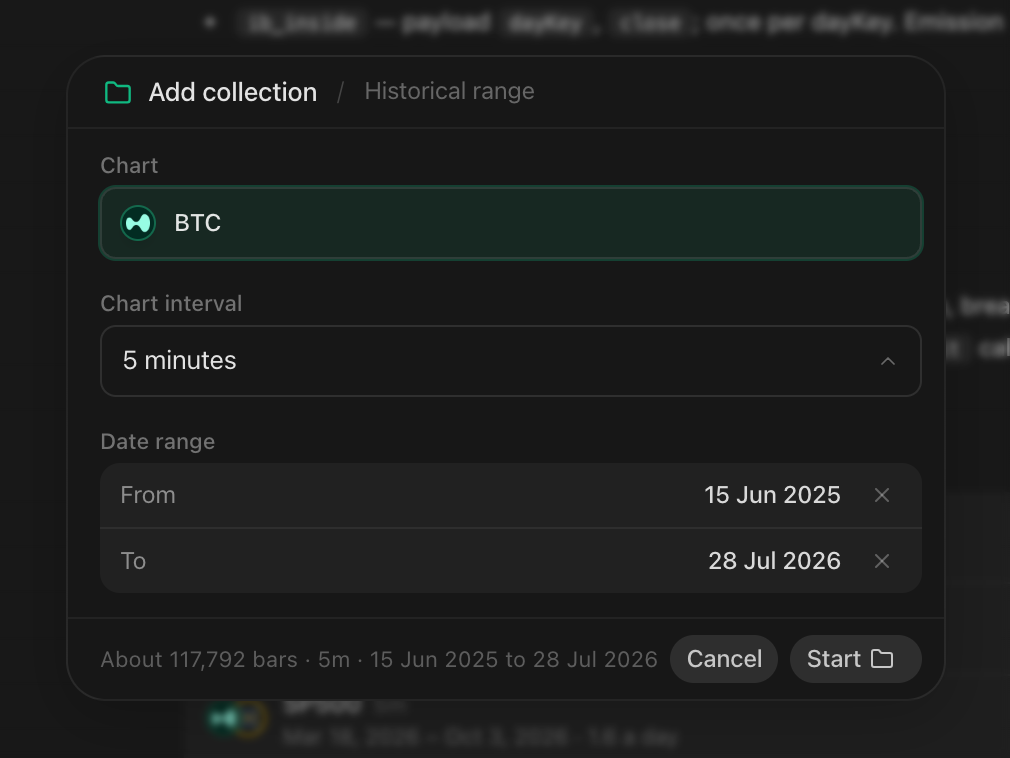
On the Overview tab, find the Datasets card and click Collect events. Once a definition has datasets, the button reads Collect more events.
Under Chart, search for the instrument.
Under Chart interval, choose the bar size. If the script only runs on certain intervals, the rest are marked not allowed, or the interval is Set by script.
Under Date range, set From and To. The default is the last 5,000 bars the instrument has data for.
Click Start.
The run carries on in the background, so you can leave the page.
Follow the run
The run appears under its instrument on the Datasets card, with its progress: Waiting to start, Loading market data, Scanning, a percentage with the time left, then Done. Click the cancel button beside it to stop it.
Each instrument and interval becomes one dataset row, showing its event count, events per day and the dates it covers. Add a second range to the same instrument and interval and it joins that dataset. Run a range you have already covered and Chartnaut says Already collected; run one that overlaps and only the missing part is scanned.
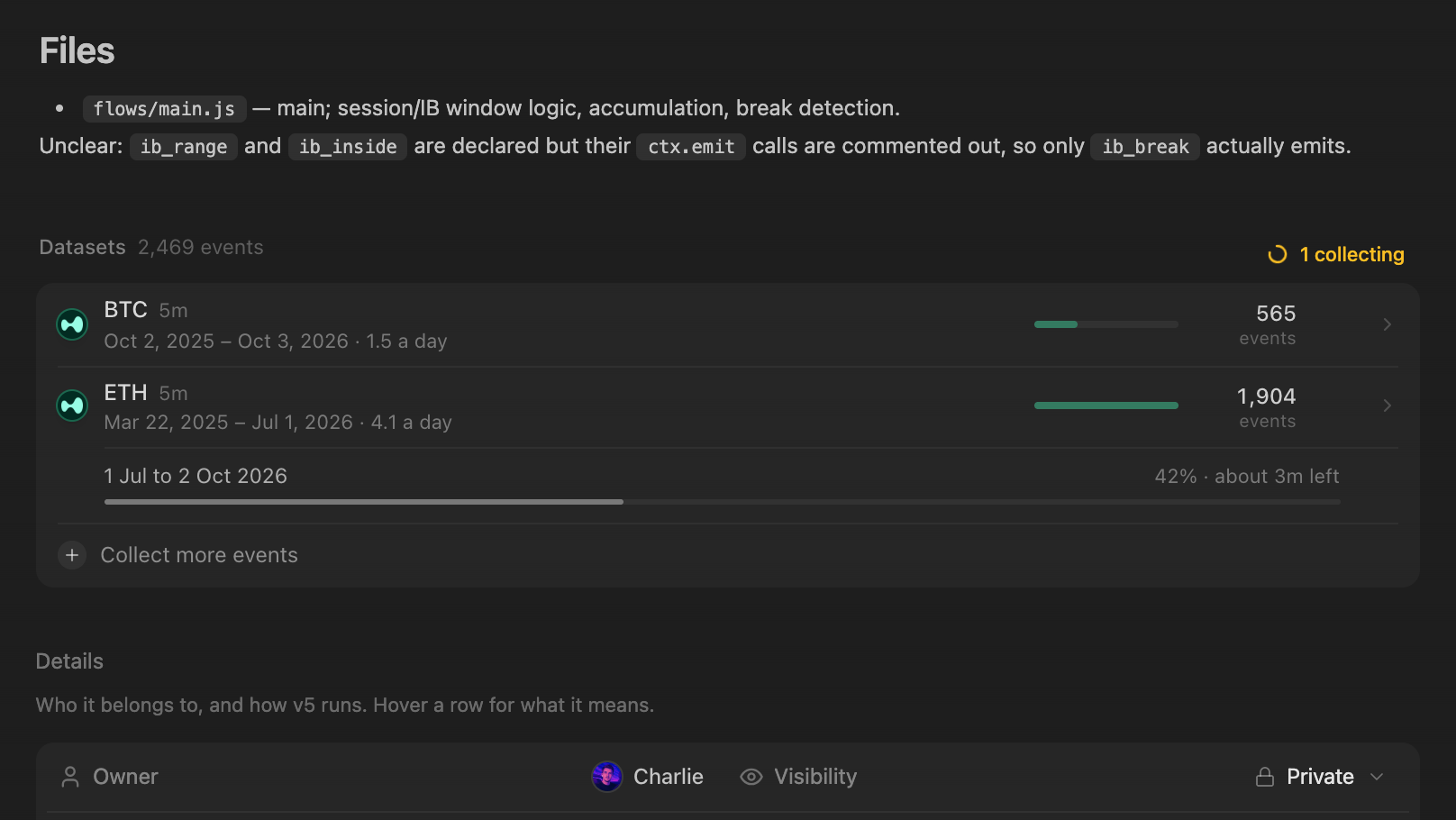
Click a dataset row to look through its events: see Browse events.
When it goes wrong
What you see | What to do |
|---|---|
Failed or Cancelled on a run | Click Try again, or Dismiss to clear a run that collected nothing |
No bars in this range (market closed) | The dates fall on a weekend or holiday. Pick a range when the market was open |
This chart doesn't have a kind of data | The definition reads data, such as volume, that this instrument does not have. Pick another instrument |
Your plan's collection limit was reached | You have used your plan's events. Upgrade to collect more |
Datasets can't be deleted. Everyone who can run the definition reads the same events, so they stay for all of them, and each event counts toward your plan once. To end a run that is still going, click Stop collection on it.
How many events you can keep depends on your plan: 15,000 on Free and 150,000 on Pro. See Definition events. How far back you can go is on Historical data.