
Historical Intelligence
Historical Intelligence trains a model on your own trades in one playbook, on one instrument. It learns how far trades with a given set of tags ran before hitting their initial stop, whenever you exited, then tells you the odds of reaching each of your three R-levels on the next one.
It works on every plan and needs 100 closed, tagged trades on the instrument you train. How many playbooks and instruments you can train depends on your plan: see Historical Intelligence limits.
Before you train
Open the playbook from Trading → Playbooks and open the Historical Intelligence tab.
Choose the instrument in the tabs at the top, such as BTC. Each tab shows its trade count, and the card below shows Trades to train.
Click Data sources and choose which trades count. Logged trades from the Trade Book always count. Switch Backtest (trades from backtest sessions) and Live (trades from your broker accounts) on or off. Training total if saved shows the count before you save.
Check the three R targets in the targets panel. Change them now if they are wrong, and click Save.
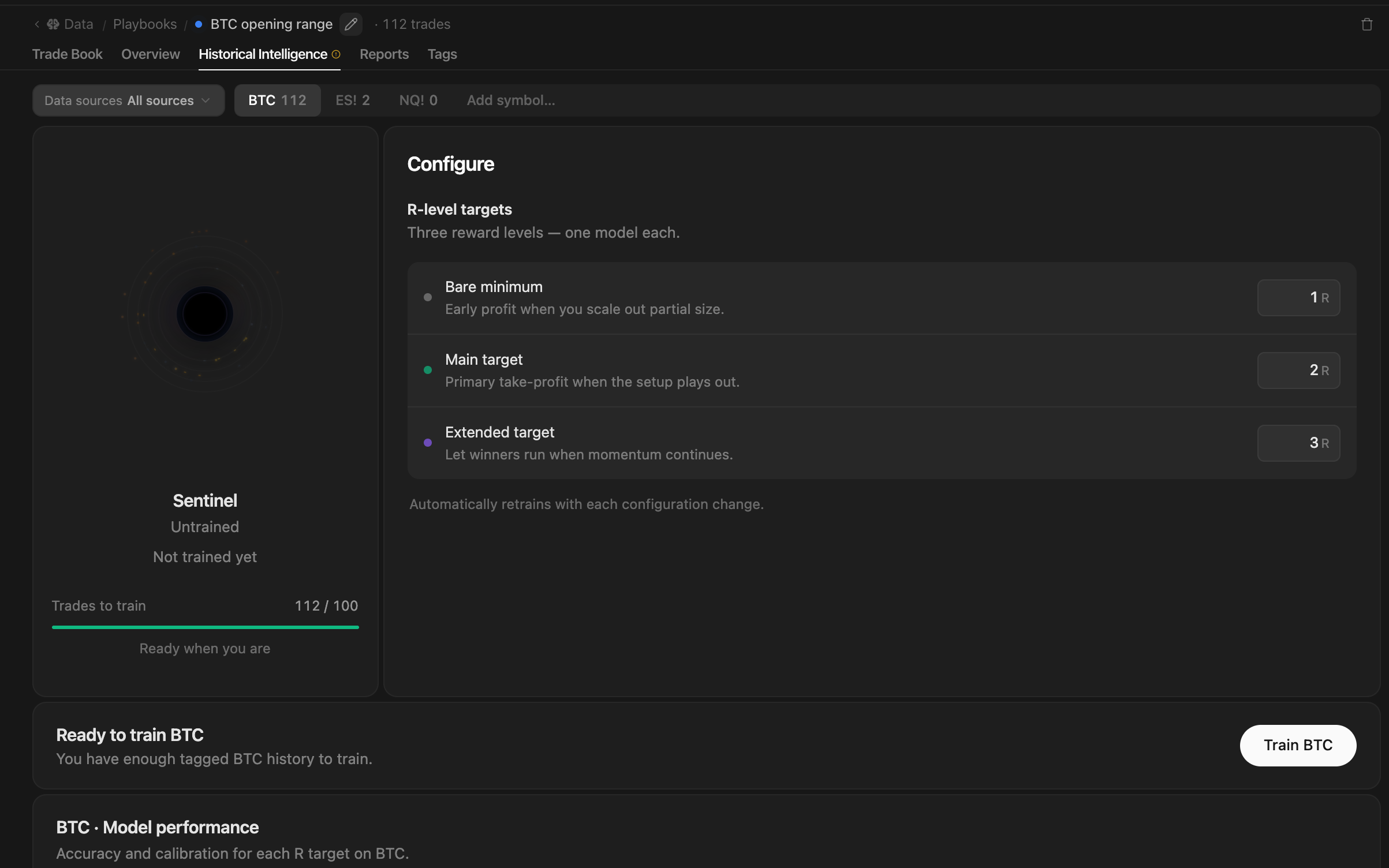
Until the instrument reaches 100 trades, the panel reads Not enough BTC trades yet. Keep filing and tagging trades: Trades, backtesting and the Trade Book's data collection sessions all add to the count.
Train the model
Click Train BTC. The button names the instrument you chose.
The status moves through Queued and Training. Training takes about two minutes per 100 trades.
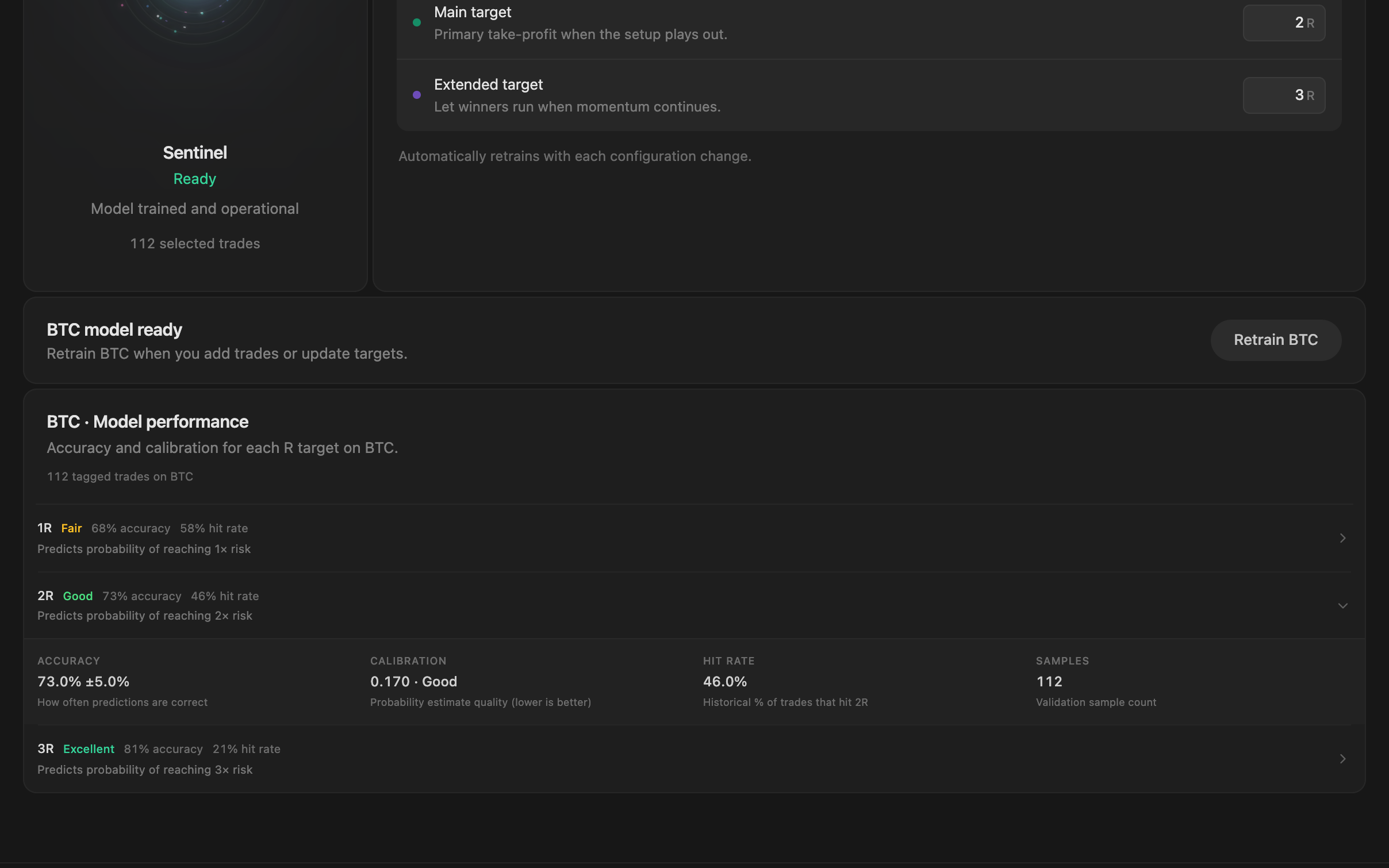
When the status reads Ready, the panel shows BTC model ready.
Read the model's performance
BTC · Model performance has a row for each R target. Click a row to open its figures:
Figure | What it tells you |
|---|---|
Accuracy | How often the model's predictions were right on trades it had not seen |
Calibration | How well its probabilities match what happened. Lower is better |
Hit rate | How often the setup reached this target before its initial stop, whether or not you were still in the trade |
Samples | How many trades the checks were run on |
Accuracy and calibration are each rated, from Poor or Needs work up to Excellent. A model that is only Fair on the main target is telling you the tags you record do not separate winners from losers well. Try a tag you are not recording yet.
Use it while you trade
In Charts, set up the trade and click Add to chart.
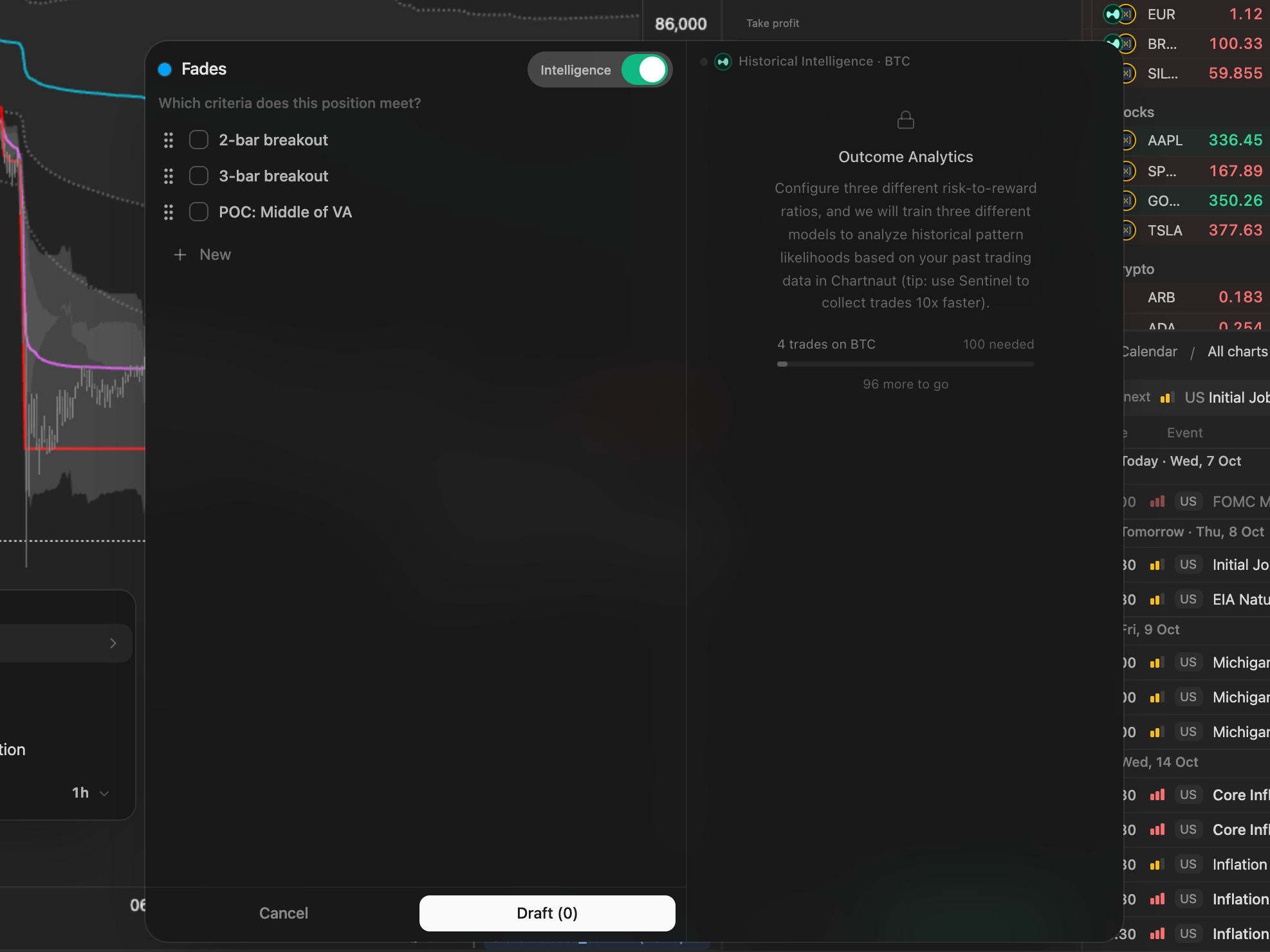
In the Log this trade? list, click the playbook. Its tags open beside it.
Turn on the Intelligence switch above the tags.
Tick the tags that are true right now.
A panel beside the tags shows the probability of reaching each R-level for that combination of tags, with a Confidence reading from minimal to substantial, based on how many of your past trades match. A strong probability with minimal confidence is a guess.
Keep it current
The model learns from the trades it was trained on. Retrain it as you add trades: the button then reads Retrain BTC.
Saving new R targets switches the model off until you train it again, and Chartnaut asks Save R-level targets? before it does. Changing Data sources also changes what the next training uses, so retrain after that too.
If training fails, the panel shows Training failed for BTC and the button reads Retry.