
Forward insight agent
The Forward Insight agent works inside the Attach to chart wizard. It adds a pin_cell result to a finished study so that the study's answer shows on Charts, on the bar where the setup forms. You never chat with it: the wizard hands it the choices you made and it edits the study once. In the code it is the pin rewrite agent (pin_rewrite_agent), which shares its pin_cell rules with the older mockup-first pin orchestrator that the wizard replaced.
The wizard is the same whether the Agent ran the study or you did. Forward Insights covers it step by step from the product side.
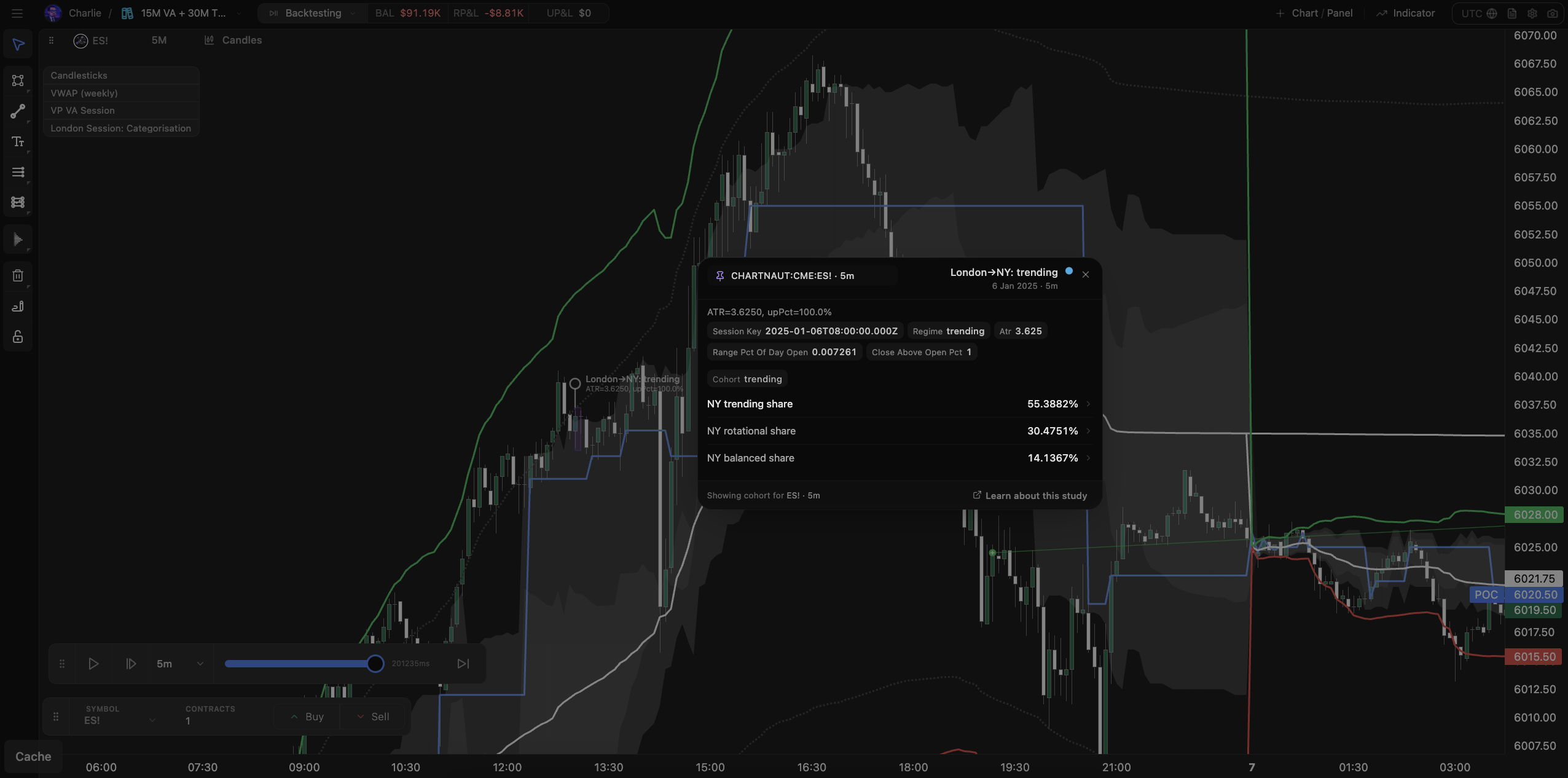
What happens in the wizard
What do you care about? lists the metrics the study already publishes. A separate model reads the study's results and offers one quantity per option; it never offers a metric the study would have to start measuring.
Break down by lists the study's scope dimensions. Each one you pick splits the reading; picking none gives one reading for every event.
Apply breakdown starts the agent. It reads
study.jsand the run's results, then proposes one edit withpropose_forward_insight_edit: the whole study with apin_cellresult added.Chartnaut dry-runs that proposal before accepting it, then saves it as a new study version, runs the study again, checks that
pin_cellhas exactly one cell per combination of the chosen dimensions, and builds the chart card.If a check fails, the failure goes back to the agent and it tries again, up to three attempts. The wizard shows each attempt as its own row, and stops early when an attempt is identical to the one before.
You check the preview, type a Pin name and click Save pin.
The run you started from is left as it was. The Forward Insight is tied to the new run.
What the edit must produce
results.declare({
  id: "pin_cell",            // exactly this id
  kind: "popover_layout",
  indexedBy: ["direction"],  // exactly the dimensions picked in the wizard
});

// in onFinish, one cell per group scope() returned
ctx.publish("pin_cell", ctx.groupByScope(ctx.collected("rows")).map((g) =>
  ctx.popoverLayout.cell({
    dims: g.scope,
    n: g.rows.length,
    signal: verdict(g.rows),
    blocks: [
      ctx.popoverLayout.metric("Reached prior high", reachRate(g.rows), {
        unit: "%",
        scale: "fraction_0_1",
        description: "Share of breaks that reached the prior day's high.",
      }),
      ctx.popoverLayout.text("Most common next session", modalLabel(g.rows), {
        description: "The next session's class seen most often in this group.",
      }),
      ctx.popoverLayout.badge("Above baseline", "pos"),
      ctx.popoverLayout.note("Thin before 2024."),
    ],
  })
));
pin_cell is added beside the study's existing results. The research report stays as it was.
Rules the agent follows
indexedByequals the dimensions you picked, no more and no fewer. An empty list is one cell for every event.Only
role: "scope"dimensions can index a Forward Insight. If you picked one that is really an outcome, the agent moves it into a block and declares itrole: "report". It never deletes a useful report dimension to get past a check.The study exports
scope(ctx), which returns only scope dimensions from what was known when the event fired. A study that groups withctx.scopeEventinsideonEventgets its grouping moved intoscope(ctx)by the same edit.The quantity already exists in the study. The agent wires that value into
pin_cellfor each group; it does not compute a different statistic. If it cannot find the quantity, it says so in the change summary.Every
metricandtextblock has a one- or two-sentencedescription. A numeric block has aunit, and a"%"metric also hasscale:"fraction_0_1"for 0.53,"percent_0_100"for 53.Probability blocks show every outcome's share for the group, never only the matching one.
nis the true event count of the group,g.rows.lengthfromctx.groupByScope. A thin group is valid; the card shows a small-sample caution. A cell whosendiffers from the eventsscopeput in its group warns withstudy/pin-cell-count-mismatch.Dimension values in
dimsare the declared values, such asstrong_trending, never display text.A leftover
pin_cellofkind: "table"is replaced.
When it goes wrong
Message in the wizard | What it means |
|---|---|
Couldn't apply your breakdown | Three attempts failed, or an attempt could not progress. Nothing was saved to your chart |
This study doesn't publish a metric that can go on the chart yet | There is nothing to offer in the first step. Ask the study builder's agent to publish the number you want, run the study again and attach that run |
Forward Insights documents popover_layout and its blocks, and Pin validation errors lists the checks by name.