
AI credits
AI credits pay for the AI in Chartnaut: the agent, the builders' chats and every other chat in the app. You buy them separately from your plan, they never expire, and each message you send spends a little of them. They work the same on every plan, Free included.
In Chartnaut Desktop you can skip credits altogether by running the AI on a Claude or ChatGPT subscription you already pay for. See Use your own AI subscription.
What a message costs
Each message is charged for the work the model does on it, so the cost depends on the model you pick and how much the message involves. A long agent turn that reads code, runs checks and writes a definition costs more than a one-line question.
The model picker in the chat box shows each model as Low cost, Medium cost or Higher cost, with its dollar price per typical query, worked out from one ordinary analysis turn. One credit is $0.01, so a query priced at $0.05 spends 5 credits.
Check your balance
Open the menu under your name and click Subscription.
Find AI credits.
Available is what you have left, with how much you used in the last 30 days underneath.
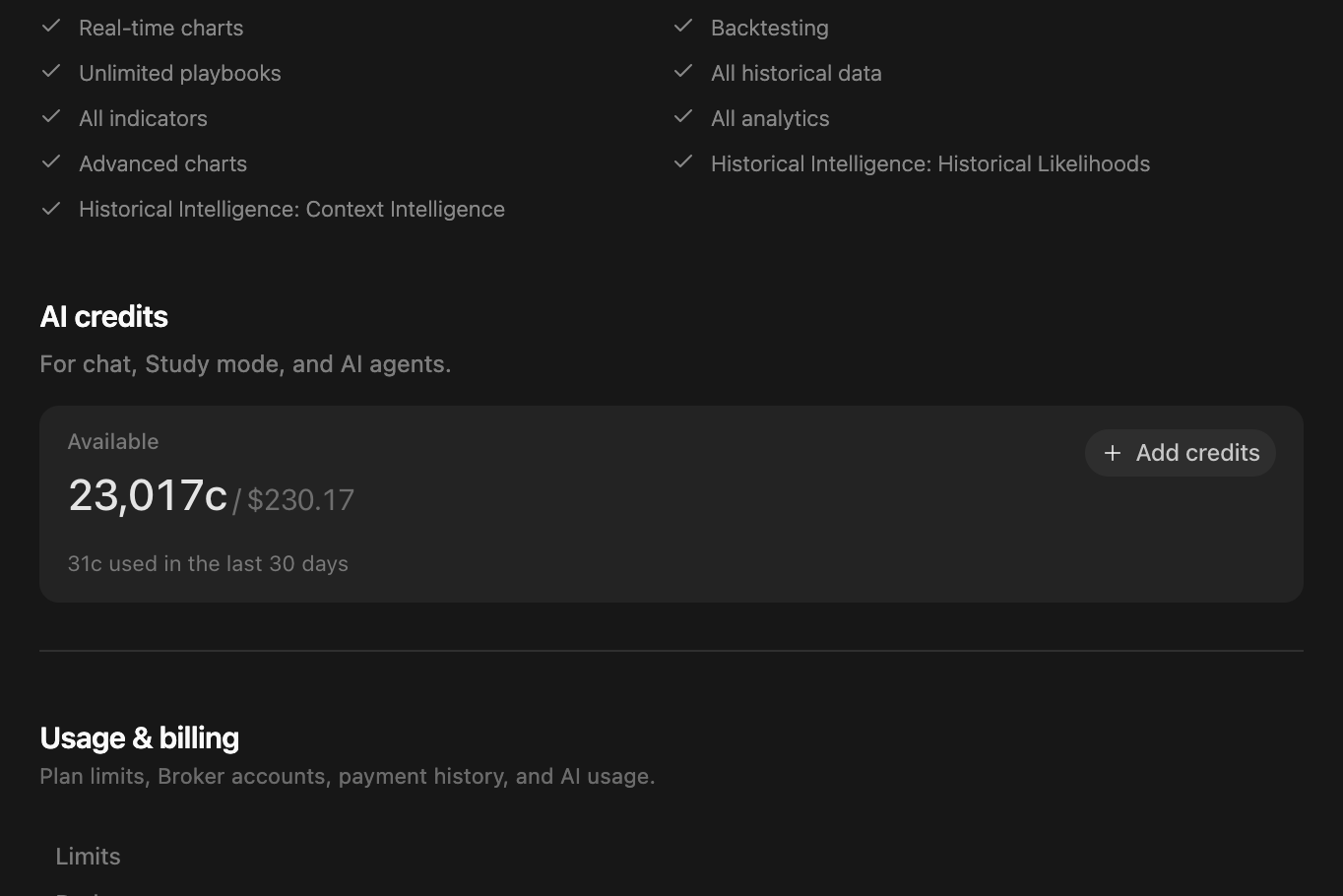
For the detail, scroll to Usage & billing and open AI usage. It shows credits used, messages and conversations for the period you pick, a daily chart of credit cost, and usage by model. Messages that ran on your own subscription are counted under On your subscription, with no credits spent.
Add credits
On Subscription, click Add credits beside your balance.
Pick a package, or type an amount under Custom.
Check the Summary, then click Purchase, which shows the total you get.
Pay on the checkout page that opens.
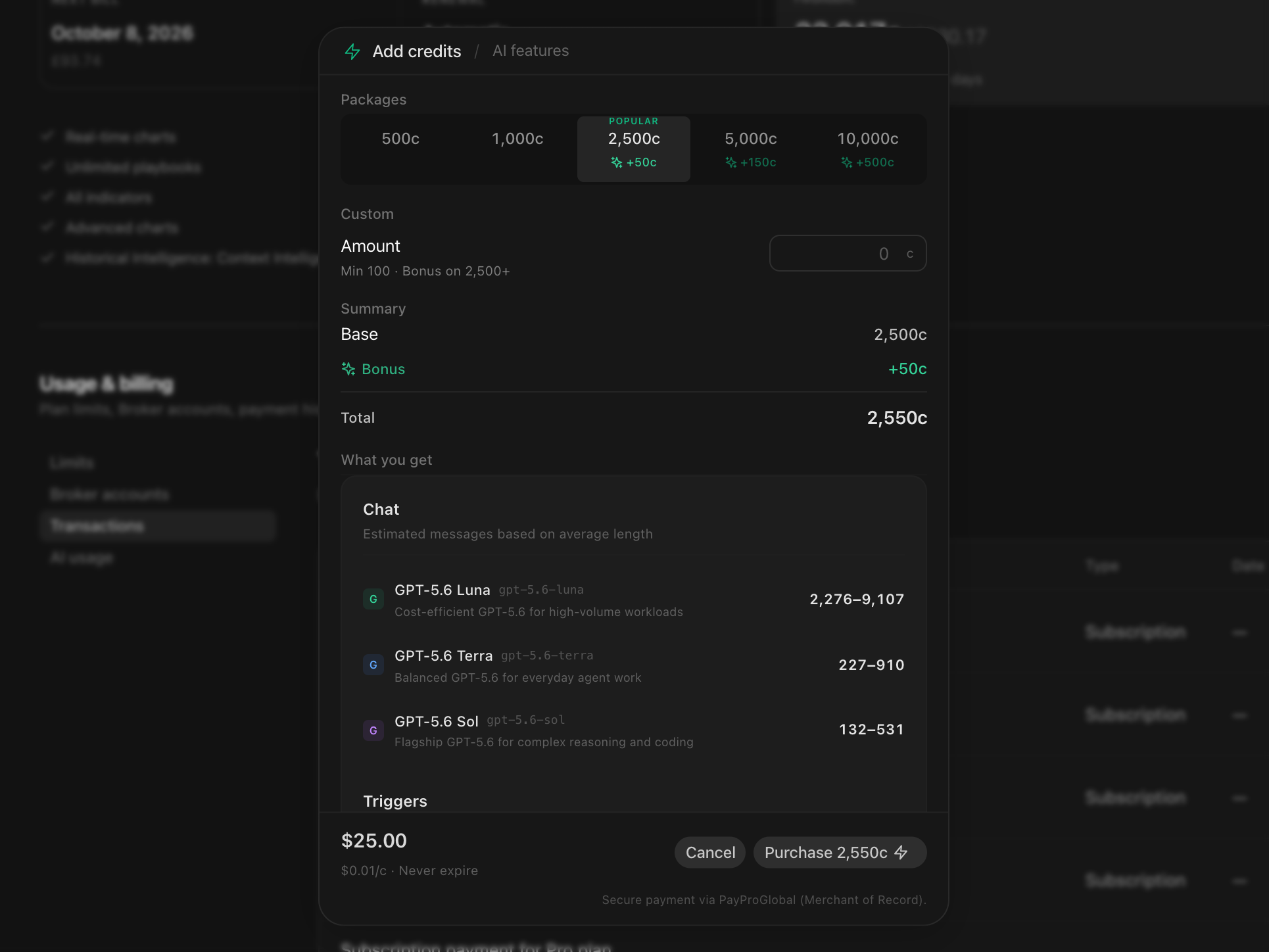
The packages are 500, 1,000, 2,500, 5,000 and 10,000 credits. From 2,500 up, each one shows its bonus credits under the amount, and the Summary adds them to the total.
Payment is handled by PayProGlobal. AI credits billing covers pricing and bonuses in full, and Transactions under Usage & billing lists every purchase.
Running out
When your balance reaches zero, chats show No AI credits remaining. above the chat box, with an Add credits link to the Subscription page. You can still type, but a message on credits will not go through until you top up. Messages on your own AI subscription carry on as normal.
The chat box does not show your balance as you work. Check it on Subscription before a long session with the agent.