
Approvals
When the agent needs a decision it stops and puts a card in the chat. Nothing on the card happens until you act on it. This page covers every card, its button, and what happens after you press it.
Approving, or asking for a change
Each card has one button to go ahead. To ask for something different, type it in the chat box and send it: the card is sent back with your message on it, and the agent carries on from there. On a Question card, what you type is your answer.
If two cards are waiting at once, the chat box cannot tell which one you mean. Use the buttons on the cards.
Once you decide, the card folds into one line saying what it was about and what you chose, such as Plan approved or Sent back for changes, with anything you typed. Click it, or Show decision, to open the card again.
The cards
Card | What it shows | Button | What happens next |
|---|---|---|---|
Plan proposal | The steps the agent will take, and what Done means | Approve | It starts work |
Question | Something only you can answer, with options | An option, or type your own | It carries on with your answer |
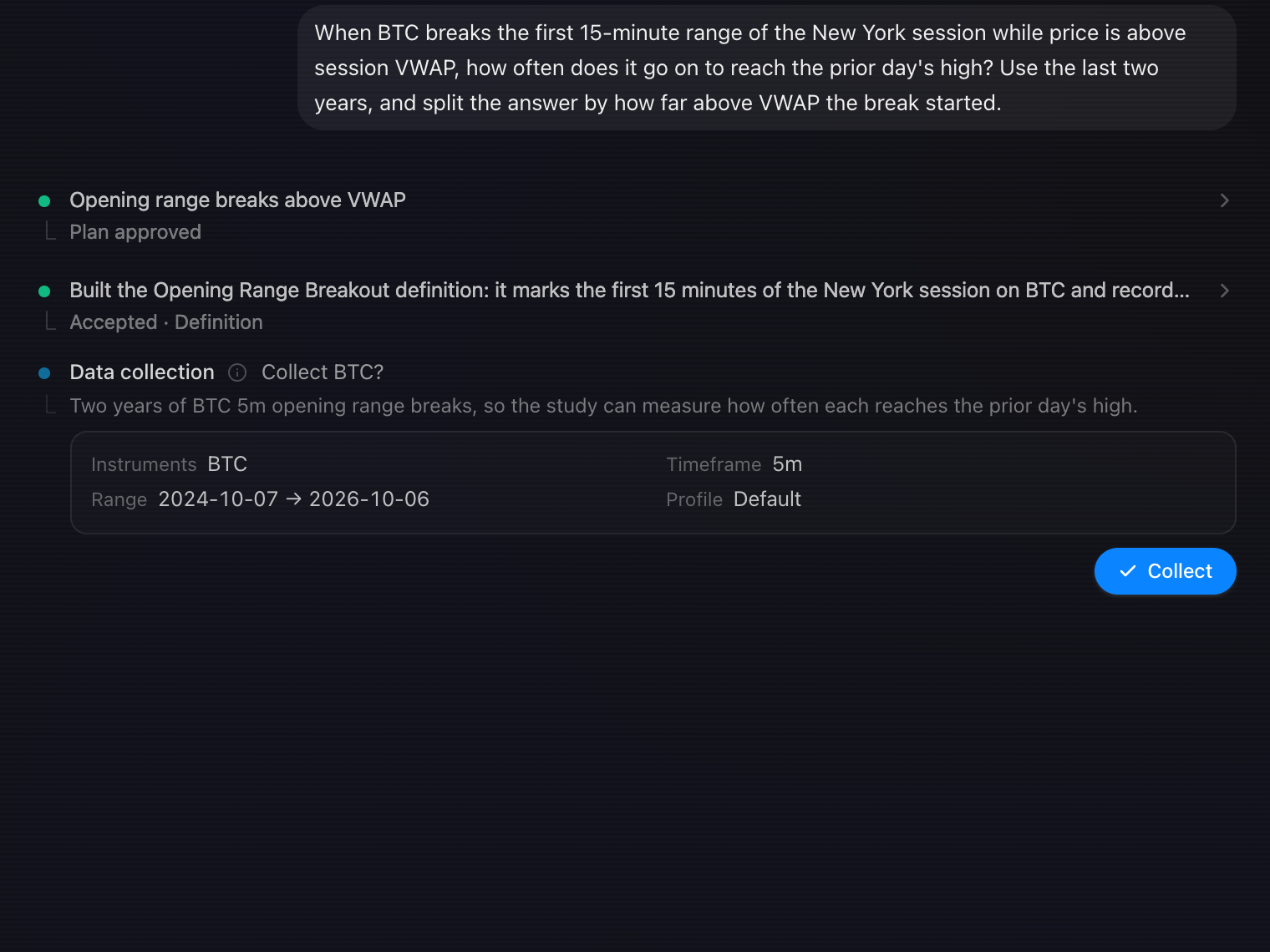
Data collection proposal | The instruments, timeframe, date range and profile a definition will run over | Collect | The definition runs over that history |
Profile override proposal | A profile change, and how many datasets, study runs and studies depend on the profile | Override | The profile changes in place |
Study run proposal | The instrument, timeframe, range and events in scope for a study | Run | The study runs, with its progress in the chat |
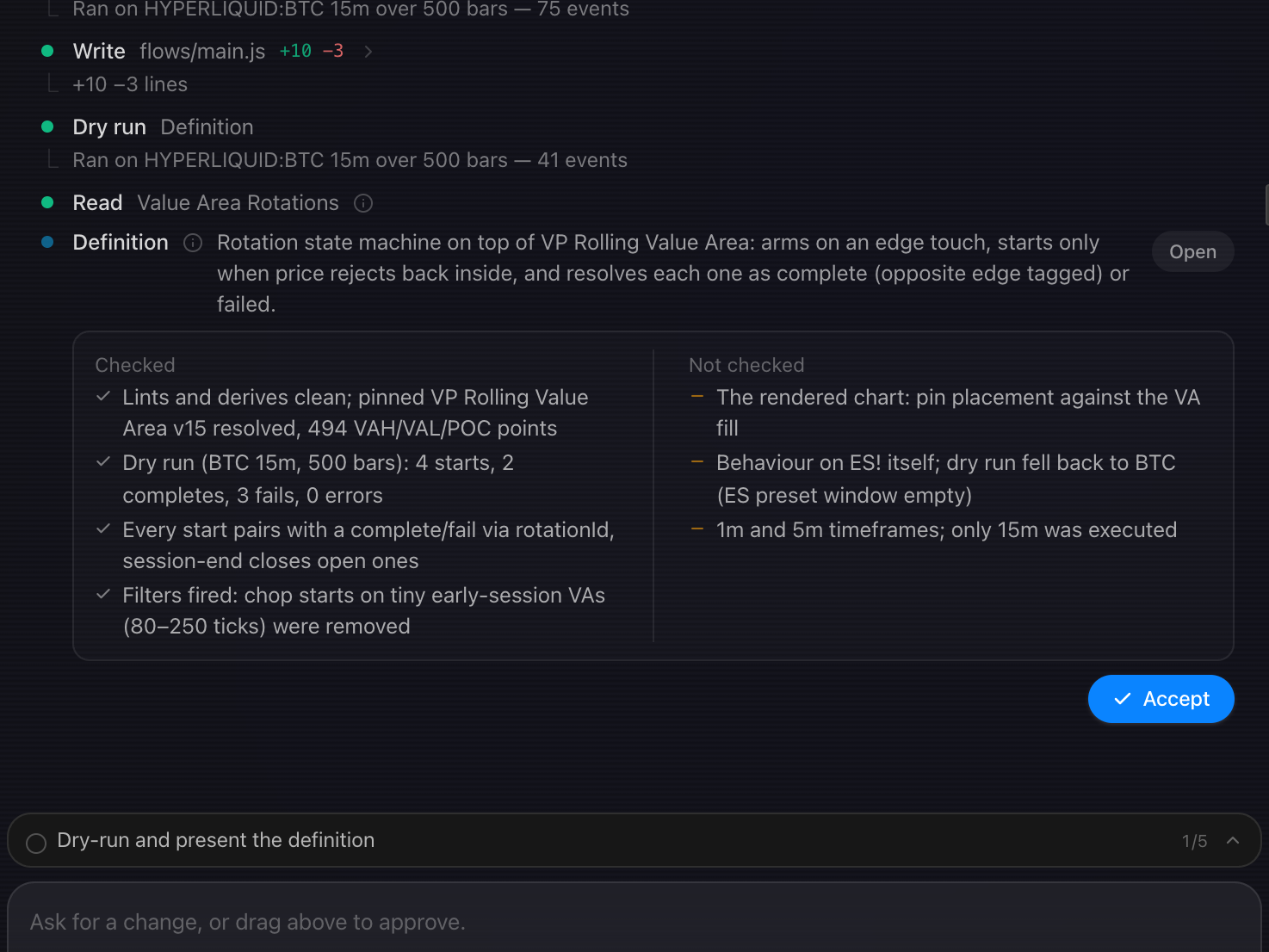
Result | The finished indicator, definition or app, with what the agent Checked and Not checked | Accept, or Open to look first | It keeps the piece and moves on |
What each one is for
Plan proposal sets out the work before the agent starts. Read Done means: it is what the agent will check before calling the job finished.
Data collection proposal and Study run proposal start work over history, so the agent asks before either in both modes. Check the instrument and the dates. A study run approval covers that scope, so if the agent fixes its code and runs again on the same scope, it does not ask twice.
Profile override proposal comes up when the agent wants to change settings that existing results were made with. Overriding can leave saved Forward Insights and study results out of step with the chart. If you would rather keep them valid, reply asking for a new profile instead.
Result puts what the agent built beside the chat when you click Open, so you can check it on a chart or on real data. Read Not checked before accepting: it is what you still need to look at yourself.
Cards that only tell you something
Study run shows the run's progress while it works: Queued…, Loading data…, Running the study…, then Study run complete with how many events it processed.
Study results arrives when a run finishes. Put on chart on the card turns the answer into a Forward Insight, and Open the full report shows it beside the chat.
A Forward Insight you put on the chart is confirmed in the chat: On your chart, with its name, market and timeframe, and Open chart. One saved without showing says Saved.
Supervised and Autonomous
In Supervised, the agent shows each piece with a Result card before anything uses it: a definition before it runs over history, a study before it runs. In Autonomous, it stops for data collection, study runs and questions, and shows the finished result at the end. How the agent works explains choosing between them.