
Connect Chartnaut Demo
Chartnaut Demo is an account with virtual money that trades against live prices. Orders are matched on Chartnaut's servers the same way a broker would fill them, so you can practise a setup, try out trading from the chart or learn the journal with nothing at risk.
 Chartnaut Demo
It is free on every plan, Free included, and does not use a live slot, so you can open as many as you like: one per strategy, or one per prop firm challenge you are rehearsing. How accounts work compares it with MetaTrader.
 MetaTrader
Connect it
Open Trading → Accounts.
Click Connect account.
On What do you want to do?, choose Use Chartnaut demo.
Type a Label, for example "BTC practice". This is the name you pick the account by in Charts.
Choose Leverage. The default is 50x.
Set Starting balance. The default is 100,000.
Click Connect.
When Account connected appears, click Continue.
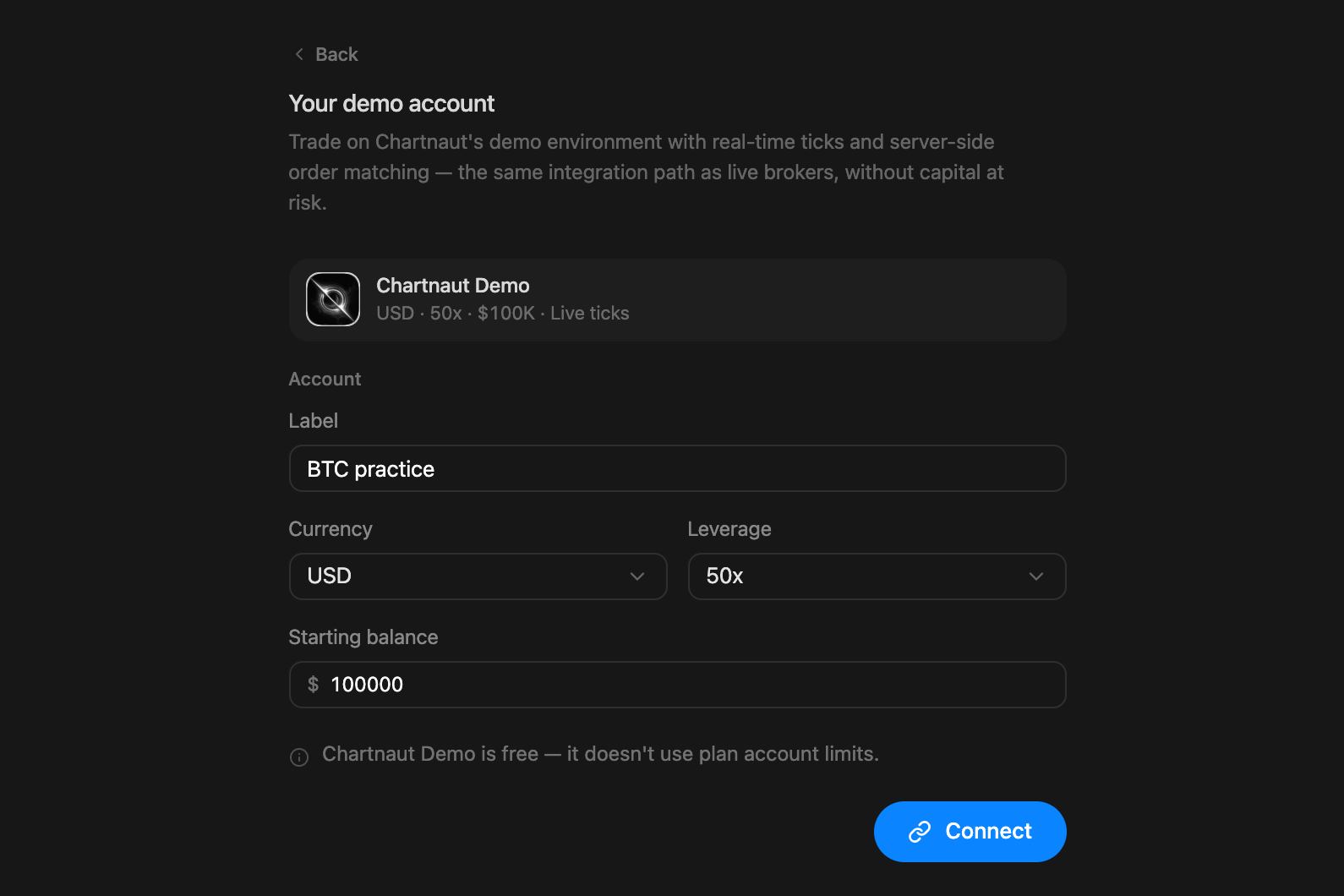
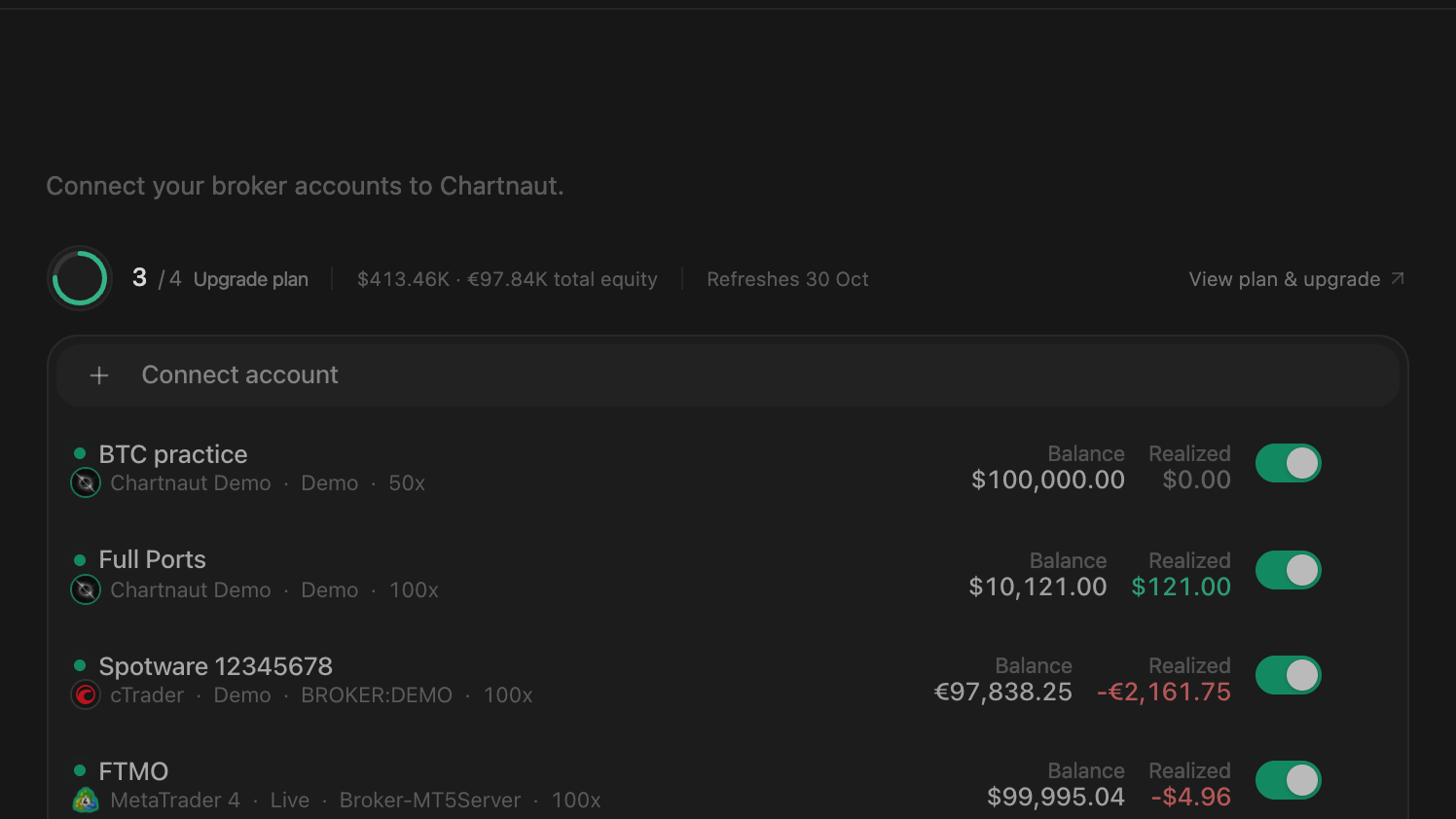
The account appears on the Accounts page with a green dot, ready to trade. The form confirms underneath that Chartnaut Demo is free and does not count towards your plan's account limits.
You can also connect one without leaving Charts: hover Select Account in the top toolbar and click New account (Add account if you have none yet).
The options
Option | What it sets | Choices |
|---|---|---|
Label | The account's name everywhere in Chartnaut | Any text. Rename it later from the account's page |
Currency | The account currency | USD. Other currencies are listed as Coming soon |
Leverage | How much margin a position needs | 1x, 5x, 10x, 20x, 50x, 100x, 200x or 500x |
Starting balance | The virtual cash you start with | Any amount |
After connecting, only the label can be changed. To practise with a different size or leverage, connect a second demo account and give it its own label.
Trade with it
Open Trading → Charts.
Hover Select Account and choose the demo account under Accounts.
Place a trade from the trade bar or the chart. Connect a broker and place your first trade walks through the first one.
Every demo trade is recorded as a Live trade in Trades and your Journal, with snapshots and its P&L path, exactly like a trade at a broker. Click the account on the Accounts page to see its own dashboard, calendar and reports. Manage an account covers those pages.
When it goes wrong
Account label is required or Enter a valid starting balance. Give the account a label, and a starting balance above zero.