
Library limits
Your plan caps how many of seven things you can keep: definitions, studies, Forward Insights, custom indicators, apps, dashboards and trades stored. The cap counts what you have now, so deleting something frees its place.
The limits
Free | Pro | |
|---|---|---|
Definitions | 10 | 50 |
Studies | 50 | 1,000 |
Forward Insights | 5 | 25 |
Custom indicators | 10 | Unlimited |
Apps | 5 | 15 |
Dashboards | 3 | 10 |
Trades stored | 250 | 12,000 |
On Pro, the 25 definitions and 100 studies add-ons raise those two caps by 25 and 100 for each one you buy.
What counts
Limit | Counts | Does not count |
|---|---|---|
Definitions you own | Built-in ones, and ones you have deleted | |
Studies you own, event and trade studies alike | Built-in ones, ones an app installed for you, and ones you have deleted | |
Forward Insights you made that are live | Ones you added from another author, and ones you archived or deleted | |
Indicators you built or copied, and indicators you installed from the community library | Built-in indicators such as VWAP | |
Apps you own | Apps you have deleted | |
Dashboards you made | Home, which comes with every plan | |
Trades stored | The pictures of your charts saved on backtest trades. A backtest trade saves one when it opens and one when it closes | Trades synced from a broker account |
A definition and its versions count once. Copying a definition, study or indicator counts as a new one.
Your events are capped separately: see Definition events.
Each dashboard also has a cap on its panels: 6 on Free and 9 on Pro. Every panel is an app running live, so this keeps one page from running more than your plan allows. At the cap, adding a panel is refused with Your plan allows 6 panels on a dashboard. Please upgrade to add more. A dashboard already over it after a downgrade keeps every panel, and you can still move, resize and remove them.
See where you stand
Open Subscription from the menu under your name. The Limits tab has a meter for each, labelled Trades stored, Definitions, Studies, Indicators, Apps and Dashboards, with how many are left. The meters refresh at most once an hour.
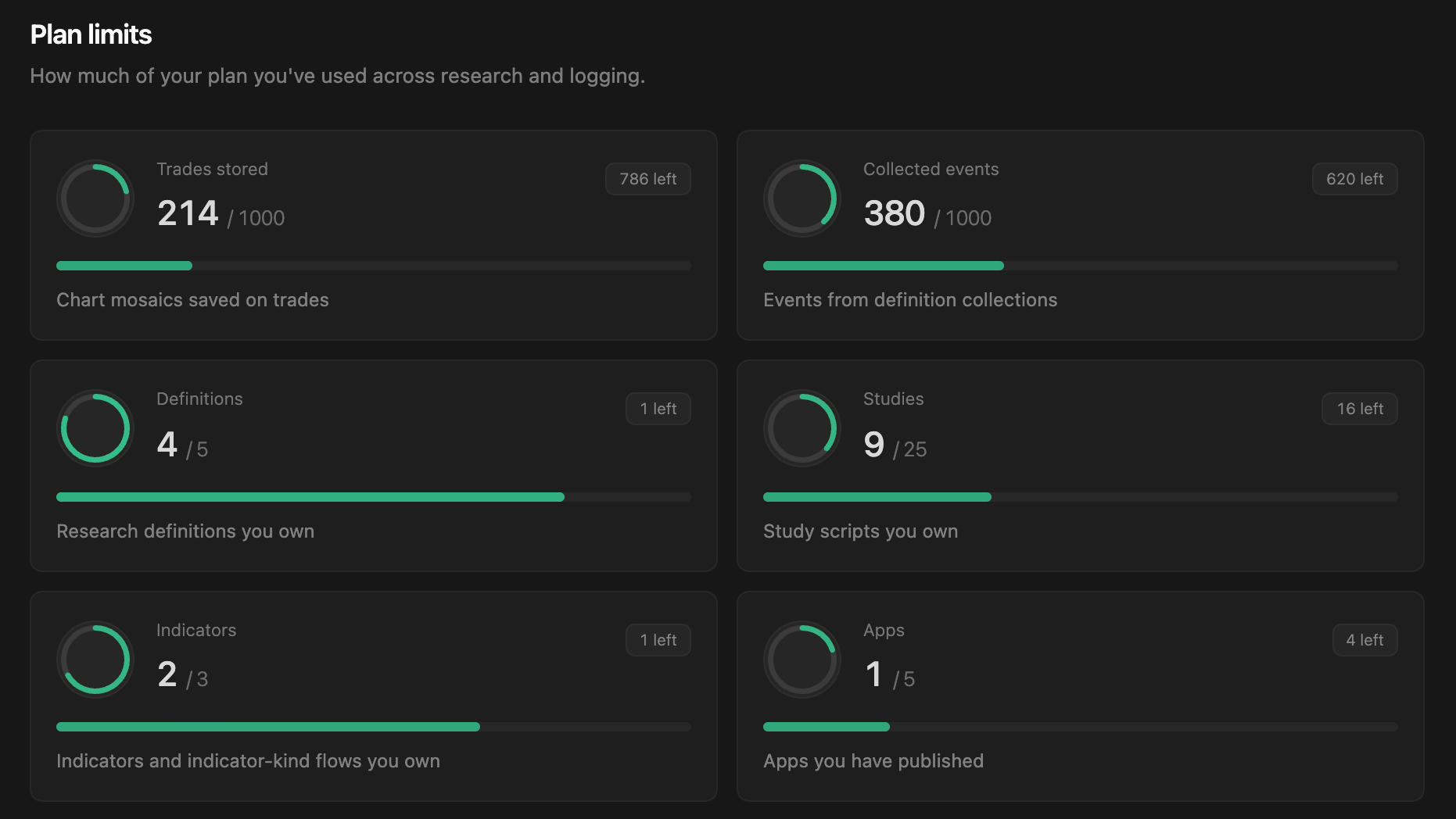
At the cap
Creating one more is refused, and nothing is saved. In the app the message names the limit:
You have reached the Definitions limit for your plan. Please upgrade to continue.
Saving one more Forward Insight past the cap is refused with Your plan keeps 5 Forward Insights in your library. Delete one, or upgrade for more. Saving a new version of one you already have replaces it, so it never needs a new place.
How many Forward Insights show on your charts at once is a separate limit: 1 on Free and 5 on Pro. Forward Insights on the chart covers it.
When the Agent is building for you, it tells you it has reached the limit and stops, rather than trying again. From the CLI, chartnaut push stops with plan_limit and exit code 3.
At the trades stored cap, backtest trades are still recorded. Only the chart picture is not saved.
What you already have keeps working at the cap. You can open, edit, run and save new versions of it.
Make room
Delete a definition, study, indicator or app you no longer need, from its library. Archive a Forward Insight from its definition's Forward Insights tab. Its place frees straight away, even though the meter can take up to an hour to show it.
Upgrade to Pro, or on Pro buy an add-on for definitions or studies: see Subscription and billing.
Deleting a definition frees its place in your library, not its events: collected events count once and stay counted. See Definition events.
After a downgrade, nothing above the new limit is deleted. You keep all of it, and you can create more once you are back under the cap.